
Getting Started
Welcome to Building in OpenSimulator!
Of all the wonderful things that virtual worlds offer, the ability to create, prototype, play, and build whatever we can imagine is by far the most compelling feature.
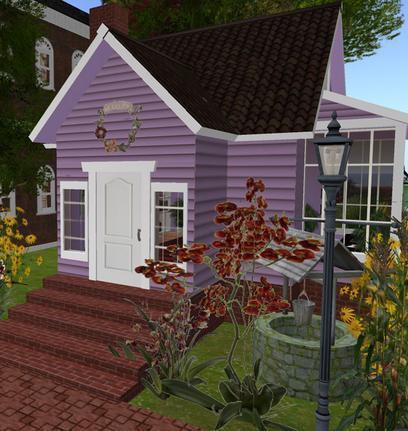
Before the invention of platforms like OpenSimulator, 3D modeling programs often required professional level training to create 3D models, and even after you mastered the complex techniques required to build virtual objects, the objects lived inside the graphics program used to create them. You couldn’t invite a friend to come walk around your creation with you, or fly into it and have a conversation about how it works.
OpenSimulator allows even a novice to learn how to create virtual objects, and since the platform is multi-player, others can see your creations in real-time, even build collaboratively with you! This ability to turn the visions of our dreams and imaginations into virtual reality, and share it with others, is what makes OpenSimulator so magical!
What should I already know before I start learning to build?
This manual does not cover certain basic skills, such has how to navigate, move your camera, or operate your viewer interface. We are assuming that you already have some basic level of skill in how to move around and look at the virtual world.
Learning how to navigate (walk and fly) and operate your camera with skill and precision are necessary prerequisites to learning how to build.
If you don’t already have these basic skills, you may wish to practice or search for tutorials on the web before proceeding with this manual.
Ok, I know how to walk around and move my camera. Where can I start building?
Before you can begin to build, you must be logged into an OpenSimulator grid, and be on land that you either own, or have been given permissions to build upon.
Note that just because you CAN BUILD somewhere doesn’t mean that you SHOULD!
Most grids will have a Terms of Service, Community Standards, or other rules and policies that govern who can build where. Make sure you familiarize yourself with the rules of any grid you log into so you understand what is and is not permitted. Building on land that you don’t own, or don’t have permission to build on, may be interpreted as a form of griefing, and may result in disciplinary actions or even getting banned from the grid.
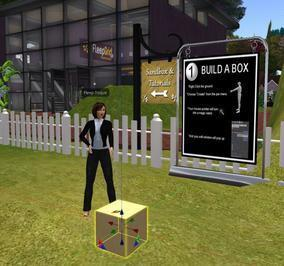
If you aren’t sure where to build, look for a Sandbox, which is typically an area where grids permit the public to build.
It is beyond the scope of this manual to explain how to log into an OpenSimulator grid, but generally, you need the following:
- Download, install, and run a viewer compatible with OpenSimulator
- If logging in locally to a grid, you will need to create an account and then configure your viewer with the
- Login URI of the destination grid
- If hypergriding, you will need an account on your home grid, then enter the Hypergrid address of the destination grid into your viewer map search
For more information about connecting to a grid, see the OpenSimulator wiki viewer page.
What viewer should I use to follow the tutorials in this manual?
This manual uses the Singularity Viewer for pictures and images.
At the time of this writing, the images in this manual were created using the Singularity viewer. If you are new to OpenSimulator and don’t already have a viewer preference, you may wish to download and install the Singularity viewer so it is easier to follow along with the examples.
If you prefer a different viewer, you should still be able to follow the tutorials, but certain menu items or settings may be in a slightly different place or use a different name. For assistance, look at the help pages for the viewer you are using.
Ok, are you ready to get started turning your dreams and visions into virtual reality? Turn the page!