
Basic Building
Building in OpenSimulator takes skill and practice, but every tree, building, piece of furniture, vehicle, and any other object begins with a simple “prim” or primitive shape. You might consider prims the “legos” of OpenSimulator.
This chapter will walk you through the skills you need to create your own objects in-world, from basic prim manipulation all the way to complex techniques. A few things to keep in mind as you get started:
- Always make sure you are building on land with the landowners permission. Just because you technically can build doesn’t mean you should.
- It is critically important that you always NAME your items, give the item proper PERMISSIONS, and take a copy to your inventory to SAVE your builds. You will learn how to perform these tasks in the tutorial, but just remember that failing to name, permission, and save your work can mean hours and hours of lost effort.
- One of the best ways to learn how to become a great builder is by inspecting the builds of others. You can right click > Edit any object in the world to see how it was constructed!
Topics in this chapter include:
- Building: Introduction
- Moving and Rotating a Prim
- Resizing a Prim
- Linking a Prim
- Building: Playing with Shapes
- Using Path Cut to Slice Prims
- Hollow and Hollow Shape
- Taper, Top Shear, and Dimple
- Twisting Prims
- Building: Additional Features (Parameters)
- Flexi Prims
- Adding Light
BUILDING: INTRODUCTION
One of the most enjoyable things to do in OpenSimulator is to build your own environment. The interface building tools are available for everyone to use. Your creations can be saved, shared, modified and even bought and sold. Learning how to build can seem intimidating at first. Not to fear! Beginning with this chapter, you will learn – step by step.
Every object you see in OpenSimulator – from the common cube to the most amazing vehicle or building – has been built, or created, using tools that are available to you. In this mission, you will learn how to find a place to build and create basic shapes, called primitives, or prims for short.
A Note about WHERE you can Build:
Remember, you may build only in certain areas: 1. On land you own 2. On land owned by a group you belong to 3. On land owned by a person or group that has given you rights to build on their land 4. In Sandboxes – land set aside just for building.
Practice Building Skills
Step 1: Rezzing a prim
The basic building block in OpenSimulator is called a prim, which is short for primitive. Creating, or making something appear, is known as rezzing.
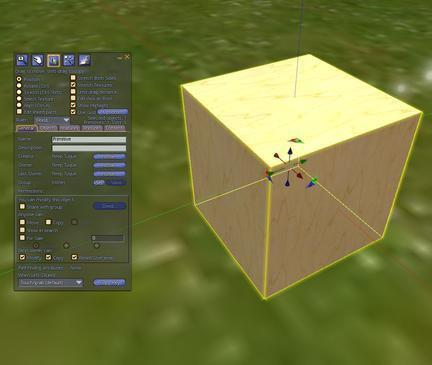
To rez a prim, open the Build menu (CTRL+B depending upon your viewer). You will see your cursor turn into a wand. Click on the ground where you would like your prim to appear, or rez. By default, you will see a plywood cube appear.
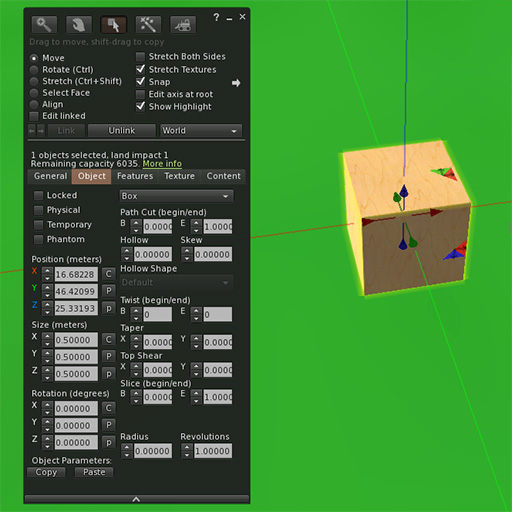
Try this now: Rez a cube!
Step 2: Rezzing other shapes using the Edit window
You are not limited to cubes. In fact, you can choose to rez several shapes to use in your building. When you created your first cube, you may have noticed a new window open on your screen. This is the Edit window. To rez a different shape, open the Build menu again (CTRL+B depending upon your viewer) and when the Edit window appears, select one of the other shapes you see. Then click on the ground with the wand.
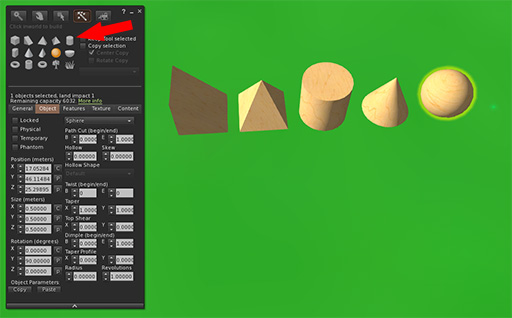
Try this now: Practice rezzing prims using the different shapes available to you.
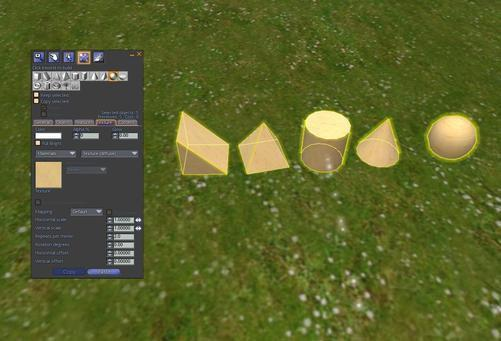
Step 3: Cleaning up after yourself
It is important to leave room for others to build. When you are through rezzing prims, right-click (Cmd- click) on each of your prims and choose More, and then Delete from the menu, or delete using the Delete key on your keyboard.
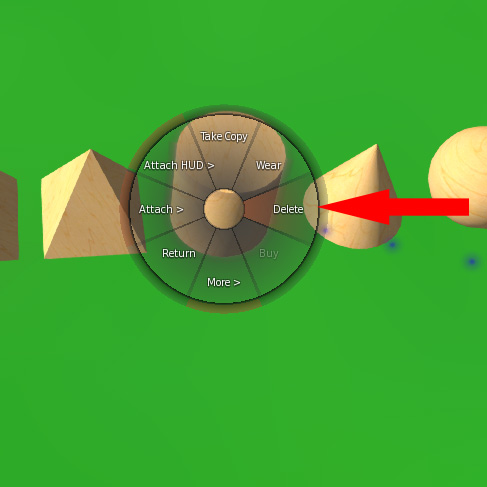
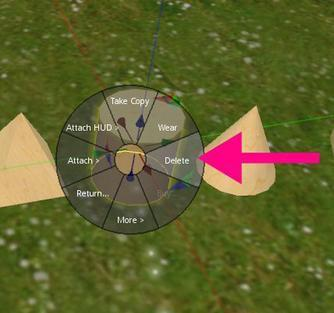
It’s considered courteous to always clean up after yourself, so make sure to clean up your objects before you leave!
If you are using the PRIMLAND Tutorial game, stop here and continue on the path!